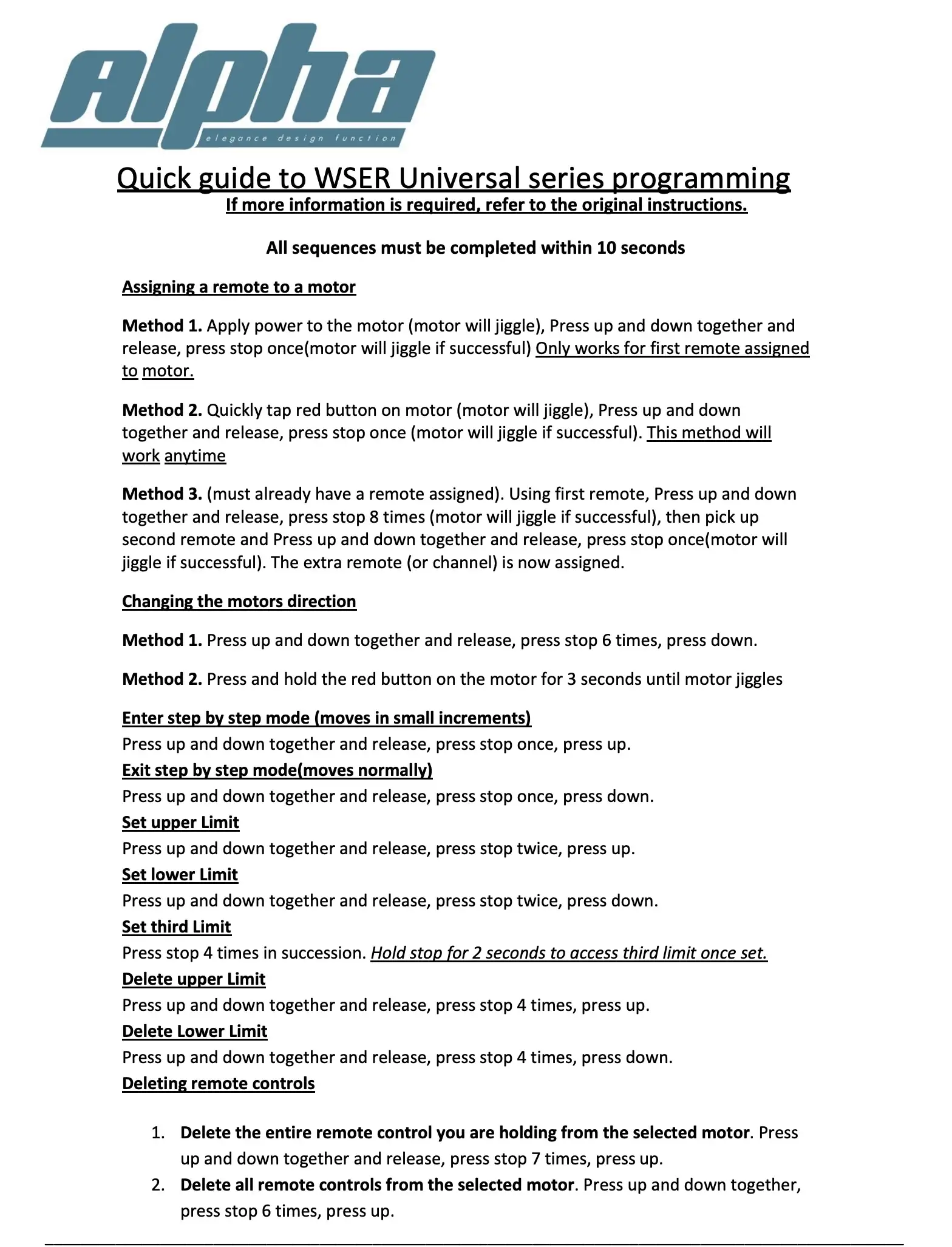
WSER Alpha Series – Quick Programming Guide
Allow up to 6 hours for new motor to charge or when green light comes on
Pairing New Blind
Assign a Remote to a Motor
- Select desired blind number on remote
- Apply power to the motor – insert pin into program hole to press button and hold (motor jiggles).
- Press UP + DOWN on the remote TOGETHER, then release.
- Press STOP once → motor jiggles = success.
Change Motor Direction – If required
- Press UP + DOWN – TOGETHER release → press STOP 6 times, then press DOWN.
Set Blind Limits
Set Upper Limit
- Press UP until desired limit reached.
- Press UP & DOWN – TOGETHER → release
- Press STOP twice
- Press UP.
Set Lower Limit
- Press Down until desired limit reached.
- Press UP & DOWN – TOGETHER → release
- Press STOP twice,
- Press DOWN.
Set Third Limit – if desired
- Move blind up or down until desired limit is reached
- Press STOP 4 times.
- Hold STOP for 2 seconds to access the third limit.
Step-By-Step Mode
For motor to move in small increments.
Turn ON Step Mode
- Press UP & DOWN – TOGETHER → release
- Press STOP once
- Press UP Step mode activated.
Turn OFF Step Mode
Press DOWN Motor returns to normal movement.
Press UP & DOWN – TOGETHER → release
Press STOP once
Delete Limits
Delete Upper Limit
- Press UP + DOWN – TOGETHER release → press STOP 4 times, then press UP.
Delete Lower Limit
- Press UP + DOWN – TOGETHER release → press STOP 4 times, then press DOWN.
Delete Remote Controls
Delete the Remote You Are Holding for the Motor
- Press UP + DOWN TOGETHER release → press STOP 7 times, then press UP.
Delete ALL Remotes From the Motor
Press UP + DOWN TOGETHER release → press STOP 6 times, then press UP.